Everything You Need to Run a Modern Taxi Business.
Cabookie Taxi Booking Software is designed to help taxi and transfer companies take control of their operations, deliver better customer experiences, and grow their business.
One Powerful Platform for Your Entire Taxi Business
Cabookie combines the tools you need to manage bookings, drivers, customers, pricing, payments, communication, and day-to-day operations.
Manage Every Booking From One Powerful Dashboard
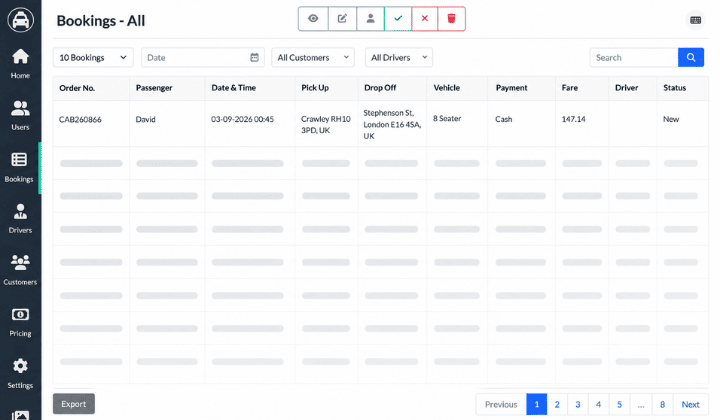
Cabookie gives you complete control over your booking workflow, from the initial request to journey completion.
Automatic Booking Acceptance or Rejection
Choose how incoming bookings are handled. Use automatic or manual booking acceptance and rejection to match your operational workflow.
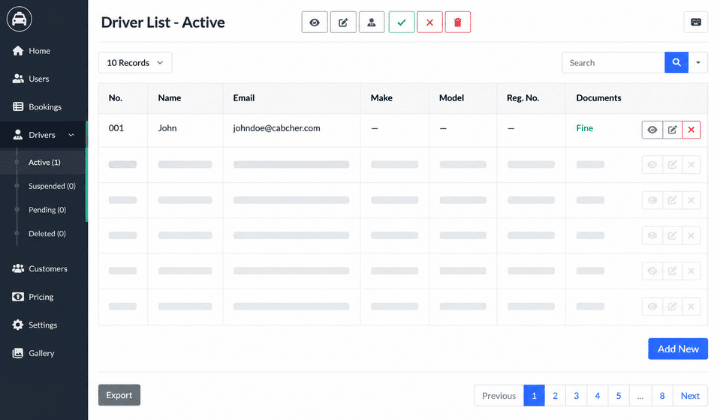
Manage Drivers and Their Documents With Ease
Keep your driver information organized and make document management simpler with one centralized system.
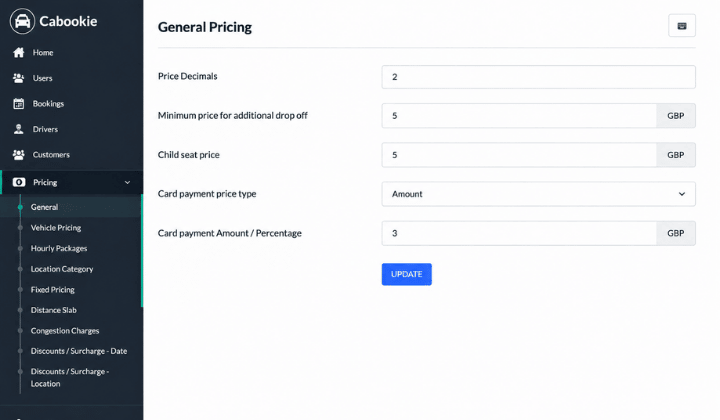
Flexible Pricing for Every Type of Journey
Set your fares around the way your taxi business operates. Cabookie supports multiple pricing models, charges, discounts, and payment options.
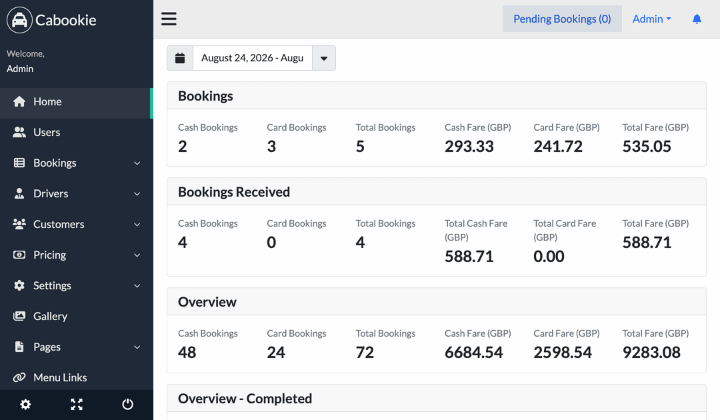
See How Your Taxi Business Is Performing
Turn your booking data into useful business insights with clear statistics and operational overviews.
Build and Manage Your Taxi Website Without Code
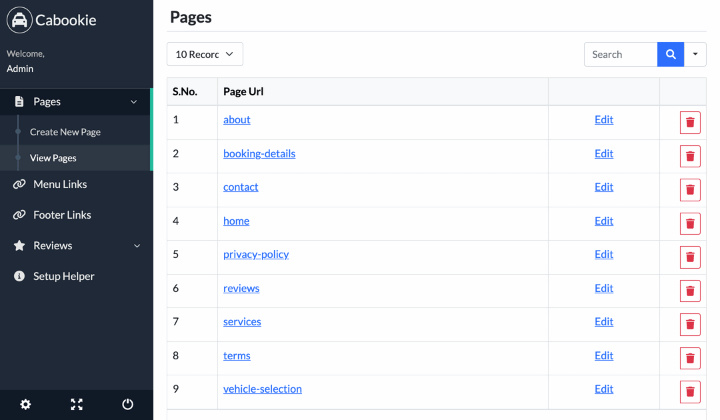
Manage your website directly from the Cabookie admin panel. Update your content, pages, menus, images, and SEO settings without needing to rely on a developer.
Keep Drivers, Passengers, and Admins Updated
Automatically keep everyone informed throughout the booking and journey process.
Built With Your Business and Customer Data in Mind
Cabookie includes features designed to help businesses manage access, protect information, and meet data protection requirements.
Create Flexible Discounts and Promotions
Reward customers and run targeted promotions with a built-in voucher management system.
Turn Customer Feedback Into Better Service
Collect and manage customer feedback after completed journeys to help monitor service quality and customer satisfaction.
Configure Cabookie Around Your Business
Set up your company details, website, communication channels, booking rules, locations, payment options, and operational preferences from the admin panel.
Give Customers More Ways to Pay
Cabookie supports a wide range of payment gateways so customers can choose the payment method that works best for them.
Customers can also prepay for journeys, giving your business greater payment flexibility and helping reduce payment collection at the end of a ride.
Get Your Taxi Booking Website Up and Running Quickly
Cabookie is designed for straightforward installation and setup, making it suitable for small and mid-sized taxi and transfer companies.
Upload Files
Upload the Cabookie files to your hosting server or VPS.
Run Installer
Follow the installation wizard to configure the platform
Configure Your Business
Add your company details, drivers, vehicles, pricing, payment gateways, and other settings.
Go Live
Complete your setup and start accepting online bookings. Installation Time: Less than 5 minutes Dashboard Setup: Less than 15 minutes
Documentation
Follow the complete setup and configuration guide.
Video Tutorials
Learn how to use Cabookie through step-by-step walkthroughs.
Technical Support
Get dedicated assistance from the Cabookie development team.
Lifetime Updates
Continue improving your platform with future product updates.
Everything You Need to Build and Grow a Modern Taxi Business
Cabookie brings online booking, driver management, customer management, flexible pricing, payment gateways, reporting, website management, passenger apps, notifications, and business automation into one complete taxi booking platform.